Manage your agent fleet's cost savings.

Aggregate your data in one place, control your agent configurations.

Thinker already cuts what each of your agents spends. Fleet management brings every machine running thinker into one view, so you can see what the whole fleet spent and saved in one place.

Start your fleet

Sign up with your email or Google. One organisation, as many machines as you run.

Sign up Sign in

thinker itself is free, open source and needs no account. Install it and it works on its own. By signing up you agree to the Terms and Privacy Policy.
What you get

How it works

  1. 1

    Sign up

    Your organisation is created on first sign-in.

  2. 2

    Create an API key

    From the dashboard. It is shown once.

  3. 3

    Set it on each machine

    thinker config set api-key, or THINKER_API_KEY in CI. Machines appear within five minutes.

What leaves a machine

Sent

  • The machine's id, hostname, operating system and thinker version
  • For each agent session: its id, the agent's and the model's name, the repository's name, when it started and was last active
  • Numbers: prompts, tokens, tokens cleared, dollars spent and saved
  • For each model call: its size, its cost and its turn, with no text
  • What thinker did: each context cut and its size, and the names of the tools whose results it cleared

Never sent

  • Prompts and completions
  • Code, file contents and file paths
  • Cache contents and environment variables
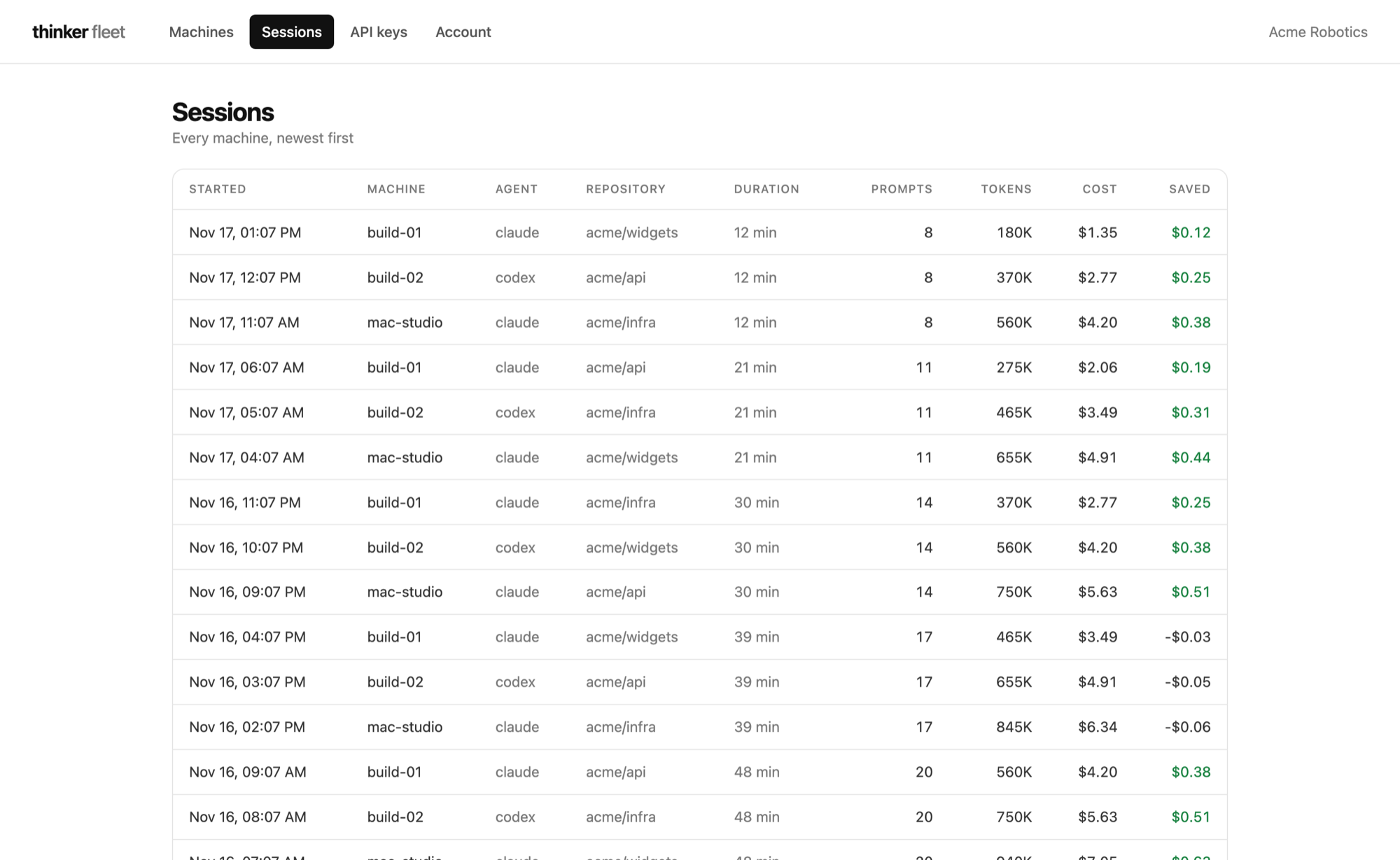
The fleet dashboard: a row for each agent session with its machine, agent, repository, duration, prompts, tokens, cost and saving.
Demo data.